
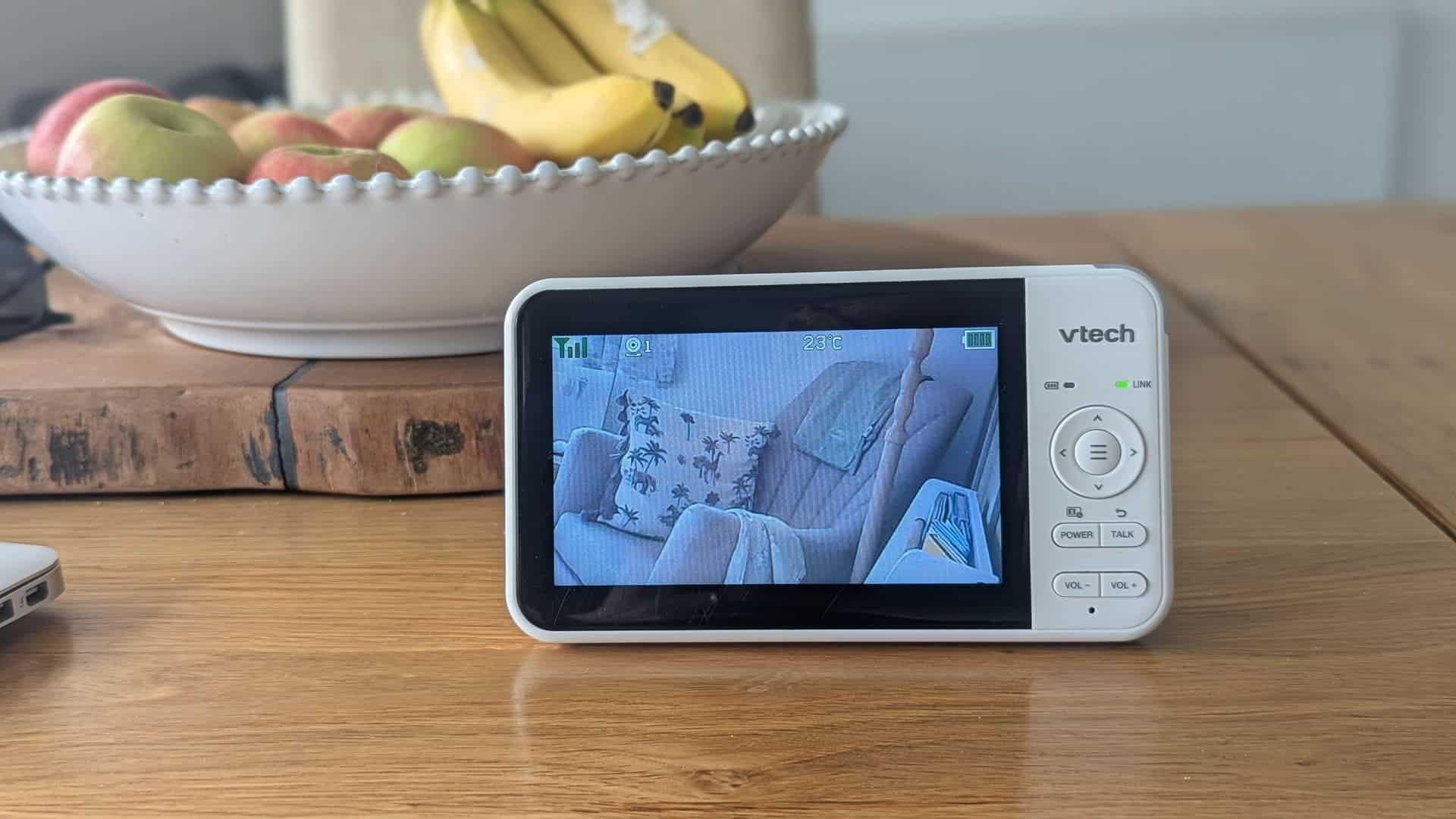
Our VTech VM924 Video Baby Monitor Review After Almost 13 Months
This VTech VM924 video baby monitor review is based on months of using it with our daughter. She’s now almost 13 months old, and we’re still using it every single day. In all that time, we’ve never had a problem with it.
When you’re having a baby, you quickly realise that buying baby gear is hard work. Every brand promises state-of-the-art, super-cool new tech, but the best advice I can give you as a parent is that you just need things that work without any fuss.
That’s what we’ve found with the VTech VM924.
We originally chose it because we wanted a video baby monitor that didn’t rely on Wi-Fi, an internet connection or a smartphone app. It has a separate parent unit, a camera that you can move remotely, night vision and a decent-sized screen.
There are also a few features that I’ve come to appreciate more as we’ve used it for longer. One of those is Sound Activation, which is particularly useful for us because we like to know when our daughter starts stirring, rather than waiting until she’s fully awake and crying.
So, after months of everyday use, would I still recommend the VTech VM924? Yes. Here’s why.
Quick Verdict: Is the VTech VM924 Worth It?
Yes. We’ve used the VTech VM924 every day for over a year, and we’ve never had a problem with it. It’s reliable, easy to use and does exactly what we need it to do.
What I really like is that it doesn’t rely on Wi-Fi or an app. You turn on the camera, switch on the parent unit and you’re ready to go.
The rotating camera, night vision, sound indicator and Sound Activation are all useful features, but the biggest selling point for us is how little effort it takes to use.
It’s not perfect. You can’t check the camera from your phone when you’re away from home, and the picture isn’t going to compete with some of the more expensive high-definition Wi-Fi monitors.
But if you want a straightforward video baby monitor with its own parent unit, it’s a really good option.
Why We Chose a Non-Wi-Fi Baby Monitor
I work on the internet every single day. I do social media marketing as my job, so I know how temperamental broadband can be.
More importantly, I know that connecting devices to the internet introduces additional security and privacy considerations. I really didn’t like the idea of streaming a live video feed of my daughter over the internet if we didn’t need to.
We wanted something simple. A camera in her bedroom, a screen downstairs and a connection between the two that didn’t depend on our home broadband.
The VTech VM924 does that.
It uses a direct wireless connection between the baby unit and parent unit. It doesn’t need a Wi-Fi connection, a cloud account or a smartphone app to work.
For me, that’s a big positive.
It doesn’t mean that wireless technology is completely free from security risks, but it does mean we’re not relying on an internet-connected camera or an online account to watch our daughter.
There are a few other benefits we’ve noticed:
- No broadband required: it works independently of our home internet.
- No app to set up: you don’t need to download anything or create an account.
- No internet connection to troubleshoot: we can just turn it on and use it.
- A dedicated parent unit: we don’t have to keep our phones nearby or worry about receiving notifications.
The advertised wireless range is up to 300 metres in suitable conditions, although the actual range will depend on your house, walls and other potential sources of interference. We’ve had no problems with the connection in our own home.
Our Experience After Months of Daily Use
This is probably the most important part of the review.
When I first wrote about the VTech VM924, we’d been using it for around eight months. Our daughter is now almost 13 months old, and we’re still using it every day.
We’ve had no problems with it. No dropped connections, no interference issues and no faults that have made us question whether we should replace it.
It’s just become part of our normal routine.
When she’s asleep upstairs, the parent unit is downstairs with us. We can see what’s happening in her room and hear her if she wakes up or starts making noise.
It’s one of those products that you don’t really think about when it’s working properly. You switch it on, get on with your evening and trust that it’ll do what it’s supposed to do.
And that’s exactly what we want from a baby monitor.
The Features We Actually Use
The VTech VM924 has quite a few features, but some are more useful to us than others.
Here are the ones that have made the biggest difference.
1. Pan, Tilt and Zoom Camera Controls
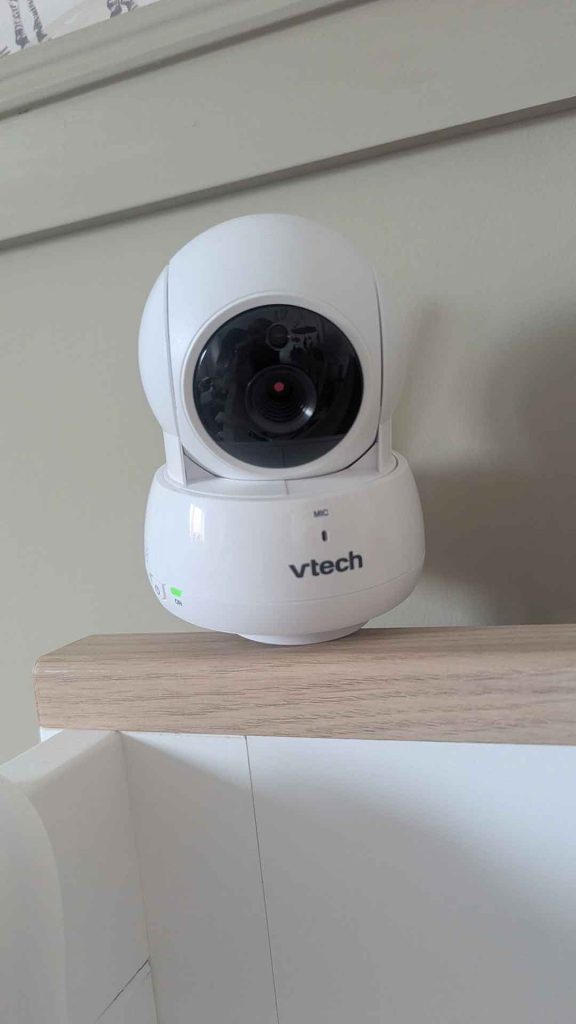
One of my favourite features is being able to move the camera remotely using the parent unit.
The camera can pan from side to side and tilt up and down. You can also zoom in, allowing you to get a closer look without having to go into the room.
When our daughter moves around in her cot, I can simply use the controls on the parent unit to adjust the camera.
It’s much better than having a fixed camera that only shows one small part of the room.
You don’t realise how useful this is until your child starts moving around more. Being able to reposition the camera without going upstairs is a real convenience.
2. The 5-Inch Colour Screen and Picture Quality
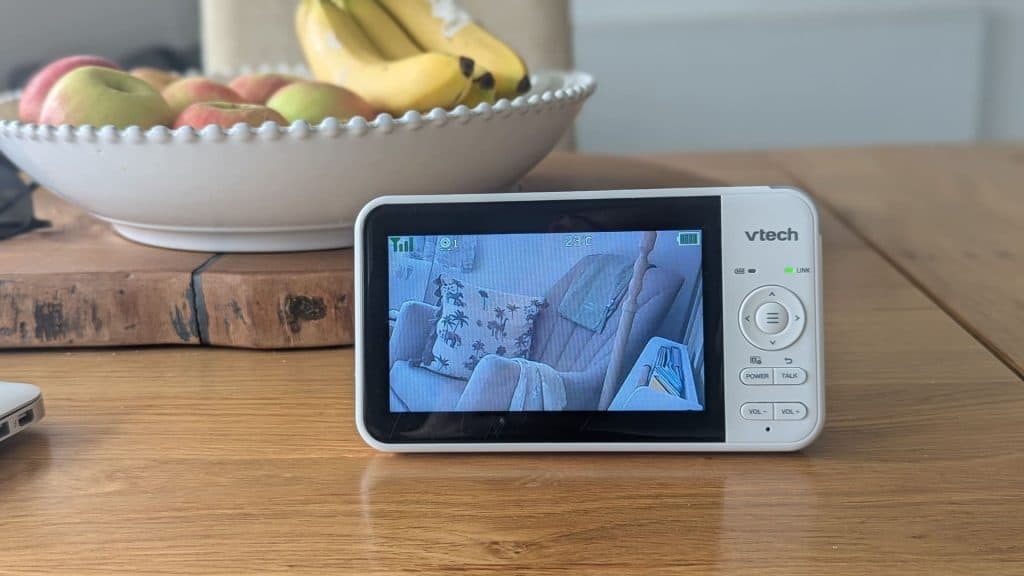
The 5-inch colour screen is a good size for us.
Is it the sharpest picture you’ll ever see? No. But that’s not really what we need from a baby monitor.
The picture is sharp enough for me to see our daughter clearly and know what’s going on as soon as I look at the screen. I can tell whether she’s moving, stirring or lying comfortably in her cot without having to squint at it.
For everyday use, that’s what matters to me.
One feature I particularly like is the visual sound indicator along the top of the unit. It uses lights to show the level of noise being picked up by the baby unit.
As a new parent, I suffer from what I call phantom baby crying syndrome. I’ll be sitting downstairs and think I can hear her crying, even when she’s fast asleep.
Having the sound indicator there is reassuring. You can glance at it and see whether the monitor is picking up any noise.
3. Sound Activation: Why We Use Full Sensitivity
This is a feature we’ve found particularly useful, and one I think is worth explaining properly.
Sound Activation allows the monitor to keep the screen off until the baby unit detects a sound above the selected sensitivity level.
We normally have ours set to full sensitivity.
Our daughter doesn’t tend to move around much when she’s sleeping, so if she makes even the slightest cry or snuffle, I want to know about it. I don’t necessarily want to wait until she’s properly awake and crying before I go and check on her.
If I can spot that she’s starting to stir and get upstairs before she fully wakes up, I find it can be much easier to settle her again.
It’s almost like trying to rescue the sleep before the wake-up becomes a full event. I’m sure other parents will understand what I mean!
The sensitivity setting is useful because every baby is different. Some parents might prefer to filter out smaller noises, whereas we want to hear as much as possible.
For us, having it on full sensitivity works well.
It’s worth remembering that Sound Activation is different from Dim mode. Sound Activation controls when the screen wakes in response to noise, while Dim mode reduces the display brightness after a period of inactivity.
4. Night Vision
The night vision works automatically when the camera detects low light.
When the lights are off, the infrared LEDs switch on and the picture changes to black and white.
We’ve had no issues with this. It’s clear enough for us to see what’s happening in the room without needing to leave a light on.
It’s one of those features that you probably don’t think much about when buying a monitor, but you’ll use it every single night.
5. Room Temperature Display
The camera also measures the room temperature and displays it on the parent unit.
I find this useful because it gives us another quick indication of the conditions in her bedroom.
It isn’t a replacement for a proper room thermometer, and I wouldn’t rely on it as a medical or safety device, but it’s a handy extra to have on the screen.
6. Lullabies and Soothing Sounds
The VTech VM924 comes with a selection of lullabies and soothing sounds that can be played through the baby unit.
There are a few different options, including gentle sounds and melodies.
To be honest, we’ve never really used this feature. We have other things that form part of our daughter’s bedtime routine, so it’s not something we’ve needed.
It’s nice to have the option, though.
Why Video Beats Audio-Only Monitors for Us
Some parents suggested getting an audio-only monitor to save money. It’s something my parents and my wife’s parents had when we were babies.
But having a real-time video feed has saved us a fair few bedtime disasters.
With video, I can see her moving around before I necessarily hear her cry.
If I notice her starting to move on the screen, I can quickly pop upstairs and check on her before she fully wakes up. Sometimes a little reassurance is enough to settle her again.
It doesn’t always work, of course, but being able to see what’s happening rather than just hearing noises is something we’ve really appreciated.
For us, that’s what makes a video monitor worth the extra money over a basic audio-only model.
Taking the VTech VM924 on Holiday
Another thing I really like about this monitor is how straightforward it is to take away with us.
We took it on our family holiday to Lanzarote, and it worked seamlessly when we got it out of the suitcase.
There’s no app to download, no Wi-Fi network to connect to and no account to log into.
You plug in the camera, switch on the parent unit and you’re ready to go.
That’s particularly useful when you’re staying somewhere unfamiliar. We could use the monitor in the same way we do at home.
For grandparents or other family members who might not be particularly comfortable setting up apps and smart devices, I think this simplicity is another big advantage.
The Downsides: Is There Anything I Don’t Like?
I want to keep this review honest, and there are a couple of things worth considering before buying.
No Wi-Fi or Phone App
The biggest limitation is also one of the reasons we bought it.
Because the VTech VM924 doesn’t connect to Wi-Fi, you can’t check the camera feed on your phone when you’re away from home.
If grandparents are babysitting, I can’t log in from a restaurant to peek at her.
Some parents will see that as a deal-breaker. Personally, I’m happy with the trade-off. When I’m out for an evening, I don’t really need to be checking my phone to see what’s happening at home. If there’s an issue, the grandparents can call.
Picture Quality
The 5-inch screen is a good size, and the picture has been perfectly usable for us.
However, if you’re expecting a super-sharp, high-definition picture like you’d get from some of the more expensive Wi-Fi cameras, this probably isn’t the monitor for you.
It’s designed to give you a useful view of your baby’s room, rather than provide a cinema-quality picture.
For what we need, it’s been absolutely fine.
Camera Mounting and Cable Safety
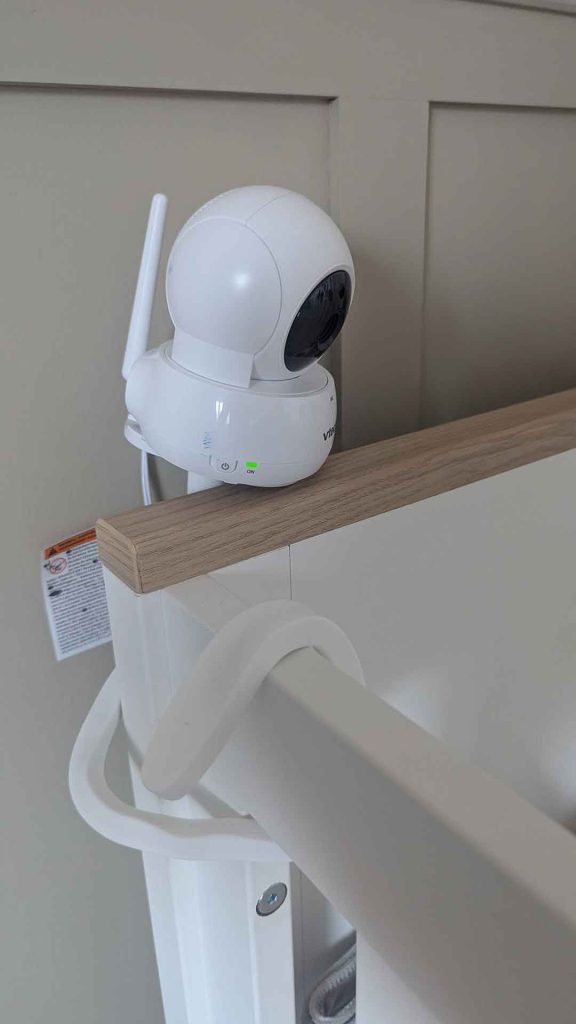
One thing worth knowing is that the flexible cot-rail mounting bracket shown in our photograph didn’t come with the monitor. We bought it separately.
The monitor itself can be positioned using its own base or mounted using the manufacturer’s intended mounting arrangements.
If you’re buying a separate bracket, make sure it’s suitable for the camera and that the camera, bracket and cables are positioned securely and completely out of your child’s reach. Never put the camera or its cables inside the cot.
VTech VM924 Specifications
Here’s a quick look at the main specifications of the VTech VM924.
| Feature | VTech VM924 |
|---|---|
| Screen | 5-inch colour LCD |
| Screen resolution | 480 × 272 pixels |
| Connection | Direct wireless connection |
| Wi-Fi required | No |
| Camera movement | Remote pan and tilt |
| Zoom | Digital zoom |
| Night vision | Automatic infrared night vision |
| Two-way communication | Yes |
| Sound Activation | Yes |
| Dim mode | Yes |
| Temperature display | Yes |
| Lullabies and soothing sounds | Yes |
| Advertised range | Up to 300 metres |
| Advertised battery life | Up to 17 hours video / 29 hours audio-only |
These are manufacturer’s specifications and advertised figures. Actual range and battery life will depend on your surroundings, settings and usage.
Is the VTech VM924 Worth It?
When you’re an exhausted parent who has just spent 30 minutes settling your baby to sleep, you don’t want to spend another 10 minutes fighting with a sluggish app, updating software or troubleshooting a dropped Wi-Fi connection.
You just want to head downstairs, switch on the monitor and relax.
That’s what the VTech VM924 gives us.
We’ve used it every day for months, our daughter is now almost 13 months old, and we’ve never had a problem with it.
I like the fact that it doesn’t need Wi-Fi, the camera controls are useful, the screen is a good size and features such as Sound Activation make it practical for everyday use.
The battery has also been perfectly manageable for us. We charge it roughly every other day with our current routine, and the long cable and familiar USB charging connection make that an easy job rather than another thing to worry about.
It isn’t the right monitor for everyone. If you want to watch your baby from your phone while you’re away from home, you’ll need something different. And if high-definition video is your priority, there are more expensive options available.
But if you want a straightforward, reliable video baby monitor with its own parent unit, I’d absolutely recommend considering the VTech VM924.
For us, it’s been a brilliant purchase. It’s one of those bits of baby equipment that has quietly done its job every single day, and that’s exactly what I want from it.
Frequently Asked Questions
Does the VTech VM924 need Wi-Fi?
No. The VTech VM924 uses a direct wireless connection between the camera and parent unit. It doesn’t need home Wi-Fi, an internet connection or a smartphone app.
Does the VTech VM924 have night vision?
Yes. It has automatic infrared night vision. When the camera detects low light, the infrared LEDs switch on and the picture changes to black and white.
What is Sound Activation on the VTech VM924?
Sound Activation allows the parent unit screen to wake when the baby unit detects sounds above the selected sensitivity level. We use the highest sensitivity because we want to hear even small noises when our daughter starts stirring.
What is Dim mode on the VTech VM924?
Dim mode automatically dims the parent unit display after a period of inactivity. It is separate from Sound Activation, which controls how the screen responds to sounds from the baby unit.
How long does the VTech VM924 battery last?
VTech advertises up to 17 hours of video streaming or up to 29 hours of audio-only streaming. Actual battery life will depend on settings, signal conditions, usage and battery age. With our current routine, we charge ours roughly every other day.
Is the VTech VM924 easy to charge?
We’ve found it easy. The parent unit comes with a long charging cable and uses the same type of USB charging connection as our phone, so it’s straightforward to charge alongside our other devices.
Can you move the camera from the parent unit?
Yes. You can remotely pan and tilt the camera using the controls on the parent unit. You can also use the zoom function to get a closer look.
Is the VTech VM924 worth buying?
Based on our experience, yes. We’ve used it every day for months without any problems. It’s particularly worth considering if you want a straightforward video monitor that doesn’t rely on Wi-Fi or a phone app.
This review is based on our own experience of buying and using the VTech VM924 with our daughter. We weren’t paid to write this review and the monitor wasn’t gifted to us. Specifications and features should always be checked against the manufacturer’s latest information.
5 thoughts on “VTech VM924 Video Baby Monitor Review: Our Long-Term Experience”